The Best Perfex CRM Modules, Ranked by Real Usage
Updated July 18, 2026
Perfex CRM's superpower is its module ecosystem - and its trap is the same thing: hundreds of add-ons of wildly uneven quality, bought blind off screenshots. This list takes a different route: it ranks the modules we build by their real install base - thousands of live deployments over eight years - and by the job each one owns. Every pick below is developed and supported by us, kept current with the latest Perfex releases, and sold direct with lifetime updates at $10 below the old marketplace price.
A buying principle before the list: modules earn their keep when they remove a system that lives outside the CRM - a mail tab, a spreadsheet, a separate store, an HR binder. Start with whichever pick below replaces the tool your team alt-tabs to most, not with the longest feature list. Prices shown are the one-time Standard license; every module also has a Pro option with lifetime support and SaaS-use rights.
-
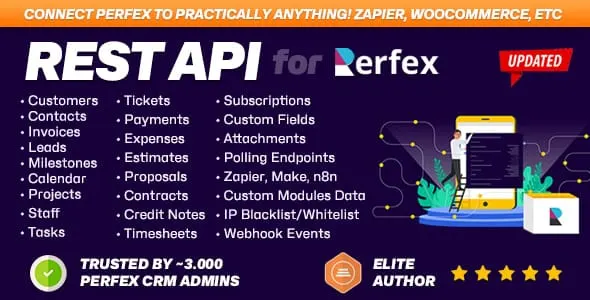
The best-selling Perfex module we make, by a wide margin: nearly 3,000 installs and a 44-review track record. It exposes Perfex's data - customers, invoices, leads, projects, tickets, tasks and more - as a clean, token-authenticated REST API, which is the prerequisite for every serious integration: mobile apps, data warehouses, Zapier-style tooling, custom portals, migrations. If Perfex is your system of record, this is the module that lets the rest of your stack treat it that way. $69 one-time, with public example repos on our GitHub.
Best for: Any team connecting Perfex to anything else - the foundational integration layer.
-
The most-reviewed module in our catalogue (4.78 across 41 reviews, 1,800+ sales): a Gmail-style webmail client inside Perfex. Each staff member connects their own IMAP/SMTP account (OAuth2 for Gmail/Outlook), reads and replies in threaded conversations, and - the CRM magic - converts any email into a customer, lead, task or ticket with the thread attached to the record. Kills the alt-tab to a mail tab and the "who has that email?" problem in one move. Needs IMAP and Perfex cron configured. $49.
Best for: Teams that live in email and want every message attached to the CRM record it belongs to.
-
Perfex's silent gap is outbound messaging at scale - this module fills it with composed and scheduled broadcasts across SMS (Twilio, Clickatell, MSG91), email with merge fields, and WhatsApp via Twilio's Business API. Template libraries, recipient groups, a managed sending queue, a live SMS segment counter for cost control, and exportable delivery history. Around 690 sales and 4.4 across 20 reviews make it the established reminder-and-campaign engine for Perfex. $49.
Best for: Businesses sending payment reminders, appointment notices and campaigns from the CRM instead of a separate tool.
-
With 630+ installs, this is the module that turns Perfex into the company back office: employee records, contracts, payroll, leave and attendance workflows - the HR binder, digitized where the rest of the business already lives. For service companies running projects and invoicing in Perfex, keeping HR in the same system means one login, one permission model and staff data next to the work it relates to. $49; pairs naturally with the Staff Outsourcing module if you also book people out to clients.
Best for: SMBs consolidating HR - records, payroll, leave, attendance - into the CRM they already run.
-
A full commerce layer inside Perfex: product and service catalogue, POS, inventory management and orders that flow into Perfex invoicing - 619 sales and a 14-review history say the model works. It suits businesses that sell things alongside services and want stock, sales and customers in one database instead of syncing a standalone store. It is a big module; expect to spend an afternoon configuring catalogue and tax settings properly. $59.
Best for: Businesses selling products or bundled services who want POS, stock and orders inside the CRM.
-
The highest-leverage $49 in Perfex marketing: 600+ businesses use it to sync Facebook and Instagram Lead Ads into Perfex continuously - form fields mapped once, every submission arriving as a lead with source attribution. The alternative is the CSV ritual, where leads age for days before anyone calls. Narrow by design; if your ads run on Meta, it pays for itself with the first campaign.
Best for: Anyone running Meta lead ads into a Perfex pipeline.
-
For everything without a dedicated module, this connects Perfex to Zapier's ecosystem of thousands of apps: fire Zaps on CRM events and push data in from outside - no-code automation that would otherwise mean custom REST work. With 176 sales it is the pragmatic glue layer: less foundational than the REST API, far faster for one-off automations like "new lead -> Slack" or "invoice paid -> Google Sheets row". $49.
Best for: Teams that want no-code automations between Perfex and the rest of their SaaS stack.




| Module | Platform | Standard | Rating | Best for |
|---|---|---|---|---|
| REST API module for Perfex CRM | CodeIgniter | $69 | ★ 4.91 | Any team connecting Perfex to anything else - the foundational integration layer. |
| Mailbox | CodeIgniter | $49 | ★ 4.78 | Teams that live in email and want every message attached to the CRM record it belongs to. |
| Custom SMS & Email Notifications Automation for Perfex CRM | CodeIgniter | $49 | ★ 4.40 | Businesses sending payment reminders, appointment notices and campaigns from the CRM instead of a separate tool. |
| Human Resources Management (HRM) & Workforce Automation module | CodeIgniter | $49 | ★ 3.90 | SMBs consolidating HR - records, payroll, leave, attendance - into the CRM they already run. |
| Perfex Shop | CodeIgniter | $59 | ★ 4.86 | Businesses selling products or bundled services who want POS, stock and orders inside the CRM. |
| Facebook & Instagram Leads Synchronization module for Perfex CRM | CodeIgniter | $49 | ★ 4.43 | Anyone running Meta lead ads into a Perfex pipeline. |
| Zapier module for Perfex CRM | CodeIgniter | $49 | ★ 5.00 | Teams that want no-code automations between Perfex and the rest of their SaaS stack. |
The verdict
If we had to rebuild a Perfex install from zero: REST API first (2,900+ installs - the integration bedrock), Mailbox second (the daily-driver upgrade with the best review record we have), then the picks by business shape - Notifications for reminder-driven operations, HR for the back office, Shop for product sellers, Facebook Leads for Meta advertisers, Zapier for everything else. Each is a one-time license, sold direct with lifetime updates, from the team that wrote it. Start with the module that deletes a tool - the rest can wait for the pain to prove itself.
Questions, answered
Which Perfex CRM module should I install first?
The one that replaces the tool your team switches to most. If integrations or reporting outside Perfex matter, start with the REST API - most later projects assume it. If your team lives in email, Mailbox changes daily work immediately. Running Meta ads? Facebook Leads sync stops the leak first. There is no universal order - buy the job, not the list.
Are these compatible with the latest Perfex CRM version?
Yes. We maintain every module here against current Perfex releases and recent PHP versions, and updates are free for life when you buy direct from our store. Each product page lists the exact compatibility line (Perfex and PHP versions) and a changelog of recent releases, so you can check before installing on a production CRM.
Why buy direct instead of on a marketplace?
Three concrete differences: price (direct is $10 less on every module here), updates (lifetime, tied to your license key and downloadable from your account page), and support (you talk to the developers who wrote the module, not a marketplace inbox). Licensing and instant download work the same way - checkout takes a card and the module is yours in minutes.
Will modules slow down or break my Perfex install?
Modules here follow Perfex's official module architecture - installed from Setup > Modules, no core-file edits - so they update cleanly alongside Perfex itself. Performance impact is negligible in practice: they add screens and background jobs, not front-page weight. Standard advice still applies: back up before installing anything, and add modules one at a time so any conflict is attributable.
Related guides
Browse the full Themesic catalogue
Every module sold direct - lifetime updates, real developer support, and full source code. Cheaper than the marketplace, with no middleman cut.