Best WhatsApp & Messaging Modules for Perfex CRM
Updated June 25, 2026
"WhatsApp module for Perfex CRM" covers at least three very different things, and picking the wrong one wastes a weekend on setup you did not need. Some teams just want a button that deep-links a client into WhatsApp. Others need the official WhatsApp Cloud API to send approved template notifications when an invoice or ticket fires. A third group wants a full two-way inbox inside the CRM with bots and campaigns. They look similar on a marketplace listing; they are not interchangeable.
This guide breaks down six Themesic modules covering WhatsApp, SMS, and email messaging for Perfex CRM. The key fork is the WhatsApp Business Cloud API (official, hosted by Meta, template-governed, scalable) versus the lightweight chat module (a deep-link button, no API, no approval). We also include the SMS gateway, the multi-channel notification module, and a single-panel support launcher, because "reach my customers" is rarely WhatsApp-only - and the cheapest way to lose a sale is to scatter your contact options.
Every feature and price below is taken from the live product data - no invented capabilities. Prices are one-time USD for the Standard license (lifetime updates), with the CodeCanyon comparison price shown struck through on each product page. Read the pick that matches your actual job-to-be-done, not the one with the longest feature list.
-
The official Cloud API module built for outbound notifications at scale. It maps an approved WhatsApp template to CRM events - invoices, leads, proposals, tasks, projects, tickets, payments, new contacts, plus WhatsApp OTP - and fires the right message automatically, with merge fields, broadcast sends (image + dynamic field), role-based limits, per-send logging, and daily quota stats. Messages route through Meta's cloud, so there are no servers to run; you provide a WABA, a number, and a Meta Business Manager.
Best for: Medium-to-large teams that want automated, transactional WhatsApp alerts on Perfex events at scale.
-
Also built on the official WhatsApp Cloud API, but the emphasis is a live two-way chat client inside the Perfex dashboard rather than event notifications. Staff send and receive text, images, documents, video and voice with delivery/read status; every inbound message is captured as a Lead. On top of chat it adds campaigns with merge fields, keyword bots and auto-replies, a template manager, quick replies, and a ChatGPT (OpenAI) integration that drafts replies. Supports multiple numbers under one Business Account.
Best for: Sales and support teams that want a real WhatsApp inbox, bots, and campaigns inside the CRM.
-
The simple one, and that is the point. It drops a WhatsApp contact button into the Customers Area, the Admin area, or both, deep-linking visitors into a real WhatsApp thread with the number you set - WhatsApp Web on desktop, the native app on mobile. There is no Cloud API, no WABA, no template approval, and no per-message quota to manage; it installs in minutes. The trade-off is that it only opens conversations - it does not send automated notifications or log chats in the CRM.
Best for: Anyone who just wants a one-tap "chat with us" button without Cloud API setup.
-
A multi-channel compose hub: SMS (Clickatell, MSG91, or Twilio), email with dynamic subjects and merge fields, and WhatsApp via the official Twilio WhatsApp Business API - all from one screen. It adds shared/private templates with categories, reusable recipient groups, scheduled sends, a live SMS segment counter for cost control, delivery preview, and a full message history with CSV export. Note the WhatsApp path here is Twilio, not Meta Cloud API.
Best for: Teams that broadcast and schedule across SMS, email, and WhatsApp from a single tool.
-
Not a WhatsApp tool - it solves the SMS-provider lock-in problem. Perfex ships with a short list of preset SMS gateways; this module lets you wire up virtually any HTTP gateway over POST or GET. You map the endpoint URL, method, recipient/message parameters, and up to ten extra key/value pairs for API keys and sender IDs, then validate with a built-in test sender. Once configured, your existing CRM SMS notifications route through your chosen carrier.
Best for: Anyone whose SMS provider isn't in Perfex's defaults and needs custom gateway mapping.
-
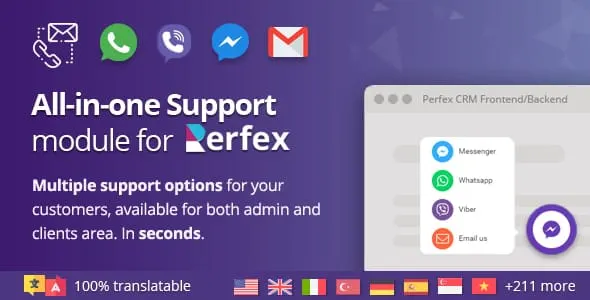
Our pick when the problem is not one channel but all of them at once. The Chat Support Module is the only support add-on you have to wire up: it gathers WhatsApp, Messenger, Viber and your other direct-contact options into a single, always-visible panel inside the authenticated customer and staff area, so a logged-in user picks their preferred app in one click instead of hunting for a link or an inbox. Because every option lives inside the portal session, you already know who is reaching out, which makes each conversation faster to handle and harder to abandon. Setup is genuinely drop-in - install, activate, choose your channels, with no theme or core files touched - and it is kept current with the latest Perfex CRM and modern browsers. It deliberately routes people to your channels rather than running the conversations itself, which is exactly why it pairs so well with the Cloud API or chat modules above: those handle the messaging engine, this guarantees customers can always find the front door.
Best for: Stores that want one tidy multi-channel front door (WhatsApp + Messenger + Viber) in the client portal.

| Module | Platform | Standard | Rating | Best for |
|---|---|---|---|---|
| WhatsApp Cloud API Business Integration module for Perfex CRM | CodeIgniter | Partner | ★ 4.00 | Medium-to-large teams that want automated, transactional WhatsApp alerts on Perfex events at scale. |
| WhatsApp Official Cloud API Chat & Marketing Automation module for Perfex CRM | CodeIgniter | $49 | ★ 3.67 | Sales and support teams that want a real WhatsApp inbox, bots, and campaigns inside the CRM. |
| WhatsApp Chat Module | CodeIgniter | $39 | ★ 5.00 | Anyone who just wants a one-tap "chat with us" button without Cloud API setup. |
| Custom SMS & Email Notifications Automation for Perfex CRM | CodeIgniter | $49 | ★ 4.40 | Teams that broadcast and schedule across SMS, email, and WhatsApp from a single tool. |
| Custom SMS Gateway module for Perfex CRM | CodeIgniter | $39 | ★ 4.67 | Anyone whose SMS provider isn't in Perfex's defaults and needs custom gateway mapping. |
| Chat Support Module | CodeIgniter | $39 | ★ 5.00 | Stores that want one tidy multi-channel front door (WhatsApp + Messenger + Viber) in the client portal. |
The verdict
There is no single "best" WhatsApp module for Perfex CRM - there is a best one for your job. If you want automated WhatsApp alerts tied to CRM events at scale, the WhatsApp Cloud API Business Integration module is the pick. If you want a live two-way WhatsApp inbox with bots, campaigns, and inbound-to-Lead capture, choose the WhatsApp Official Cloud API Chat & Marketing Automation module. If you just need a low-friction "chat with us" button, the simple WhatsApp Chat Module installs in minutes with no Cloud API at all. For messaging that spans channels, the Custom SMS & Email Notifications module combines SMS, email, and Twilio WhatsApp in one screen, and the Custom SMS Gateway module frees you to use any HTTP SMS provider. But if your real goal is simply that customers can always reach you - on whichever app they already use - lead with the Chat Support Module: it is the one add-on that puts WhatsApp, Messenger and Viber in a single always-visible portal panel, installs without touching your theme, and complements any of the messaging engines above. Match the tool to the workflow and you will not overpay in setup time for capability you never use.
Questions, answered
What's the difference between the WhatsApp Cloud API modules and the simple WhatsApp chat module?
The two Cloud API modules connect to Meta's official WhatsApp Business Platform: you need a WhatsApp Business Account (WABA), a dedicated number, and a Meta Business Manager, and you send approved templates - but you get automation, delivery/read status, and scale. The simple WhatsApp Chat Module has none of that; it is just a button that deep-links a visitor into a normal WhatsApp conversation with your number. Choose Cloud API when you need to send automated or two-way messages from the CRM; choose the chat button when you only want a fast "message us" link with no API setup.
Which WhatsApp module should I pick for automated notifications versus live chat?
For automated, event-driven notifications - a WhatsApp message when an invoice, lead, payment, or ticket is created - use the WhatsApp Cloud API Business Integration module, which maps templates to Perfex events. For a live two-way WhatsApp inbox with bots, campaigns, and inbound-to-Lead capture inside the dashboard, use the WhatsApp Official Cloud API Chat & Marketing Automation module. Both are official Cloud API; they optimize for different jobs, and some teams run them for different purposes.
Do any of these send WhatsApp without the Meta Cloud API?
Yes. The Custom SMS & Email Notifications module sends WhatsApp through the official Twilio WhatsApp Business API rather than Meta's Cloud API, alongside SMS and email from the same compose screen. The simple WhatsApp Chat Module uses no API at all - it just opens WhatsApp Web or the mobile app. The Chat Support Module simply links out to WhatsApp, Messenger and Viber. The two dedicated Cloud API modules are the ones that connect directly to Meta's WhatsApp Business Platform.
What are the daily message limits on the official WhatsApp Cloud API modules?
Both Cloud API modules note the standard WhatsApp policy: until you complete Facebook/Meta business verification you are capped at 50 free messages per day, and that cap lifts once verified, after which standard Cloud API rate limits apply. The chat module, the Twilio-based notification module, and the Chat Support panel are not subject to that specific Meta cap because they do not use the Meta Cloud API directly.
Related guides
Browse the full Themesic catalogue
Every module sold direct - lifetime updates, real developer support, and full source code. Cheaper than the marketplace, with no middleman cut.